
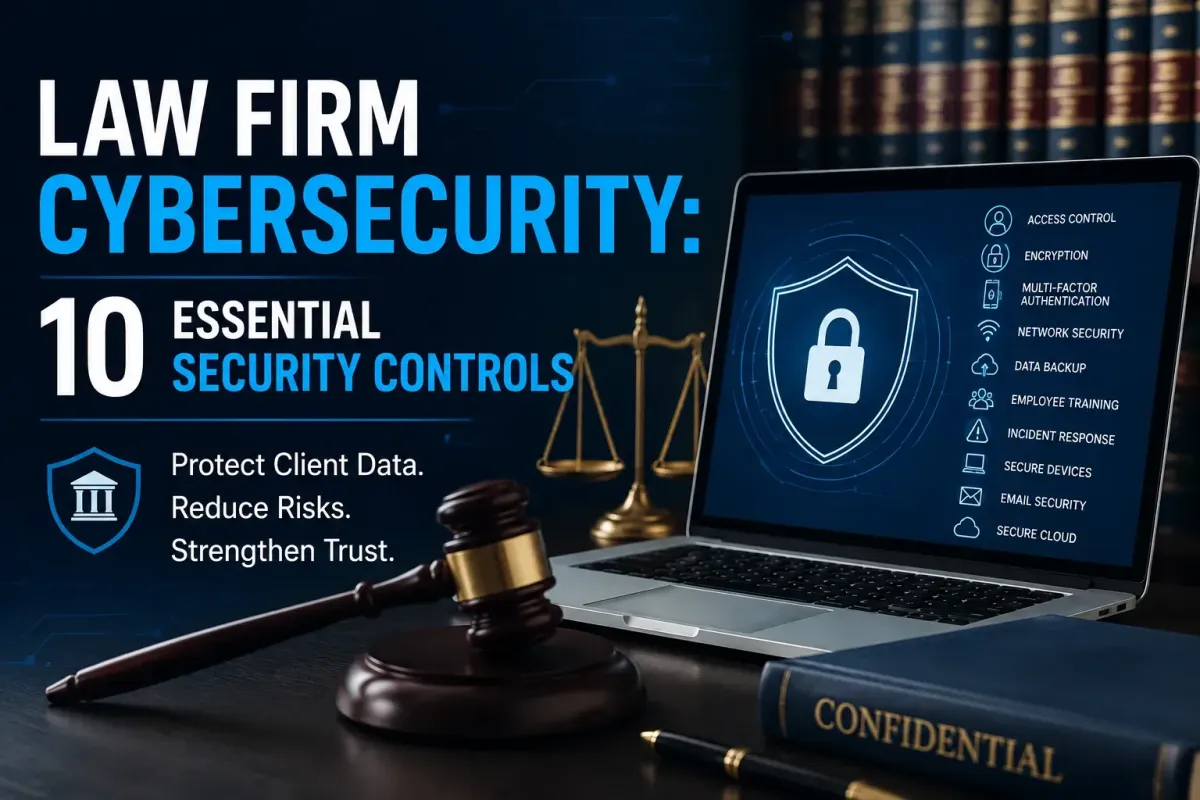
Law Firm Cybersecurity: 10 Essential Security Controls
Law firms handle sensitive information every day, including legal records, financial information, contracts, correspondence, and personal client details. Clients expect this information to remain private, but phishing, ransomware, stolen credentials, and other cyber threats can put it at risk.
Law firm cybersecurity goes beyond antivirus software and office firewalls. It involves protecting client information, employee accounts, devices, networks, cloud systems, and everyday workflows.
Regularly tested backups are an essential part of reliable law firm cybersecurity.
10 Essential Security Controls for Law Firms
1. Use Multi-Factor Authentication
Multi-factor authentication (MFA) requires a second factor of authentication, like an authentication app code. Even if a criminal obtains a lawyer's password through a fake login page, MFA can provide an additional barrier against unauthorized access.
2. Use Access Controls to Protect Client Data
A receptionist, for instance, may only need access to scheduling information but may not need to have access to case documents that are confidential.
A key component of a law firm's data security is to provide users with only the access they need. Access should also be monitored during the change of job roles and when employees leave the company.
3. Protect Files With Encryption
Laptop computers can be stolen in a matter of minutes when left in a car. The consequences can be much more severe if that laptop is used to house client documents.
Encrypting laptops, phones, and storage systems, along with using secure file transfers where appropriate, can strengthen law firm data protection.
4. Teach Staff How to Spot Phishing
There are some emails that are easily recognizable as phishing attacks. Others are not. A message may appear to come from a regular client and request an urgent payment. The message may look legitimate, but the payment or bank account details could have been changed by a scammer.
Employees should confirm any unusual requests by a reliable means prior to sending money or confidential information.
5. Keep Software and Security Systems Updated
It is easy to click Remind Me Later when work is busy, but delaying updates for too long can leave systems exposed to known security vulnerabilities.
It is therefore important that computers and browsers, applications, routers and security software remain updated. Managed IT Services can help businesses maintain systems, apply updates, and address technology issues before they become larger security problems.

6. Keep Backups of Important Work
Imagine having to open the office on Monday morning to discover that critical case files will not open. They have been encrypted by ransomware. If there is no usable backup, the recovery of that information may be very time consuming and expensive.
A reliable backup system gives the firm another copy of its vital documents. It doesn't do much good to have a backup that can't be restored if you need it.
7. Protect the Network and Work Devices
Office Wi-Fi is not the only component in law firm network security. Entry points can be anywhere, on a laptop, desktop, phone, router or remote connection.
This is even more critical if employees are working remotely. One day a lawyer may be working on his laptop in the law office, another day at home, and another day when traveling later in the week.
Devices should be protected with suitable security software and updates, have strong login security and secure connections.
8. Secure Cloud Accounts and Legal Data
Legal work is now much more flexible with the help of cloud software. Documents can be viewed, emails can be exchanged with other practitioners and files accessed without having to be at one office computer.
Cloud-based law firm cybersecurity should include MFA, sensible sharing permissions, strong account security, and regular checks of who has access to important files.
9. Give Employees Useful Security Training
Employees do not need to become cybersecurity experts. All they require are some guidelines. Training can cover suspicious emails, fake login pages, unusual attachments, unexpected payment requests, and password reset messages that employees did not initiate.
For instance, if an employee gets a confidential document e-mail in a rush from a client, he or she should know when to stop and check out the situation. This is one of the biggest human factors in law firm cybersecurity.
10. Create an Incident Response Plan
A firm should be aware of who is responsible for handling a security incident, what systems may need to be disconnected, what evidence will be preserved and who will be contacted. These decisions are documented in advance, which helps to defuse the situation. IT Compliance Services can also help organizations establish and maintain appropriate security and compliance practices.
Common Law Firm Cyber Threats
Troubles can arise from phishing, ransomware, stolen passwords, malware, fraudulent invoices, lost devices and accidental file sharing.
Consider a common example. An ordinary invoice from a supplier comes into the hands of an employee. New bank details are provided on the invoice. The employee pays it out without verifying, and finds out later that the supplier's email address has been hacked.
This is one reason it's important to take into account the technology and the daily actions of humans when it comes to law firm cybersecurity.
How Can Law Firms Improve Cybersecurity?
A firm doesn't have to purchase all of the security products available. Begin with the parts that are important. Review the data that the firm has and how it is kept, who can use it and what impact would it have if it were lost. For firms that need ongoing technical guidance, IT Services for Law Firms can help address security, infrastructure, and technology needs in a more structured way.
A smaller practice could start with MFA, backups, encryption, secure email, software updates, and employee training. Larger practices may need additional steps such as monitoring, network security, vendor management, and more.
The optimum cybersecurity solution for a law firm is one that they can actually implement. Rules that are complicated and employees have to guess and work around are not going to give them much protection.
Conclusion
Cybersecurity for the law firm is not only an IT issue, it's about preserving the trust that clients place in their lawyers. Effective law firm cybersecurity combines technology, employee awareness, access controls, data protection, and preparation for potential incidents.
Backups can provide a firm with protection against the loss of data from ransomware or accidental deletion. Above all, good security should blend seamlessly into the day-to-day operations of a law firm.
Frequently Asked Questions
Why do law firms need strong cybersecurity?
Law firms have access to private information that may be useful to criminals. A security incident could result in the release of client information, disruption of case work and reputational harm to the firm.
What is one of the most common risks for law firms?
An effective e-mail message can attract a person to reveal a password, open a malicious attachment, or send funds to another account.
What can a small law firm do to improve security?
Start with the basics: MFA, strong passwords, secure backups, software updates, encryption, restricted access, and regular employee awareness training.
Can law firms safely use cloud storage?
Yes. With proper protection, cloud services can be a viable solution. Firms should implement MFA, limit access to file sharing permissions and check access to users regularly.
How often should a firm review its security?
A security review should be carried out regularly and whenever there is a major change in technology, staff, or suppliers. An annual review is a sensible starting point.
What should employees do if they receive a suspicious email?
They should not click on links or open attachments, and should check the request in a reliable manner. When the message seems suspicious it should be reported on the firm's internal procedure.
Should every employee receive cybersecurity training?
Yes. Anyone who handles email, client information, or firm systems should understand basic security risks. Training can be short and practical rather than highly technical.