10 Common IT Help Desk Issues: Causes & Fixes
Any technology issues can hinder a work area. A locked account can prevent an employee from working, a network problem can impact an entire department and a software problem can disrupt a critical task.
Having an understanding of common IT help desk issues helps support teams respond faster, identify recurring problems, and provide more effective helpdesk services.
Why Do IT Help Desk Issues Happen?
There are numerous reasons for IT issues ranging from outdated software, hardware failures, connectivity issues, incorrect settings, access restrictions, to just simple user error.
Some issues may only impact one employee, others may impact an entire organisation. The first step is to make sure that you first determine the scope of the problem before attempting to solve it.
1. Password, Login, and Account Issues
Common issues that customers typically encounter are forgotten passwords, locked accounts, expired credentials and authentication issues.
The help desk needs to be able to verify the employee's identity and understand if it is a password problem, an account status issue, an authentication system problem or access permissions problem.
If a recurring logon issue, there are several alternatives, such as password managers, single sign-on, or enhanced self-service password reset.
2. Slow Computers and Device Performance
Slow computers are common employee IT support issues. A number of background processes, lack of storage, outdated software or equipment can all have an impact on performance.
Support staff will be able to monitor system resources, eliminate unwanted start-up programs, install updates, free up disk space and be able to decide on replacing or repairing the device.
If several members of staff slow down simultaneously, it could be caused by a common application or network problem instead of computer problems.
3. Internet, Wi-Fi, and Network Problems
Employees might be unable to access sites, shared drives, cloud applications, and internal systems if there are connectivity issues.
A good troubleshooting technique is to find out if the issue is a device issue, a site issue or an organization-wide issue. Restarting computers, checking network connections, testing other services, and checking network status can be useful in determining the source.
These are some of the common technical issues reported by customers too, especially by those who offer technical services.
4. Email and Communication Problems
Email issues can include messages that will not send, missing emails, synchronization failures, full mailboxes, or problems accessing an account.
The support team should verify the user's connectivity, mailbox size, account status, spam folders, email-service availability and more. Frequent and recurring issues can also be indicators of any service problem.
5. Software and Application Errors
Applications that freeze, crash, fail to open or generate unexpected error messages may be encountered.
The help desk must document the exact error, make sure if any other user is having the same error, make sure to check permissions, and make sure that the application and operating system are updated.
With clear documentation for the most commonly used applications, support teams can resolve these common IT problems more easily.
6. Printer, Scanner, and Peripheral Problems
With printers and scanners, an abundance of support calls can come in. Common issues are offline devices, paper jams, selecting the wrong printer, connection problems, and driver issues.
A few basic tests like power, cables, network connection, paper, toner and device setting can help the issue be identified in a timely manner.
7. Hardware Failures
Eventually something can malfunction or become unreliable, like a monitor, a keyboard, a docking station, or any other equipment.
Support staff should determine the component affected, examine all physical connections, test any compatible replacement equipment and consult any diagnostics information available.
If a hardware component continues to fail often, it might be easier to replace it.
8. Access and Permission Requests
Employees may require access to shared folders, business applications, databases or other resources within the company.
Before making changes, the help desk should also confirm the employee's identity, the specific access, and follow the organization's approval and security protocols.
Detailed documentation of access requests also means better control over critical systems for organizations.
9. Security and Suspicious Activity
Security-related IT issues must be handled differently than the traditional technical issues.
A company employee might receive an email that seems suspicious or click on a strange link in an email, lose a company device, or see some unusual activity on a company account. These would be dealt with in the organisation's incident-response process, and should be escalated if required.
The ability to quickly report and document can limit impact in case of a potential security incident.
10. VPN and Remote Access Problems
VPNs and other remote access are vital for remote workers that need to access company resources.
A connection failure can be from incorrect credentials, missed updates to the VPN software, internet issues, configuration issues, or outages of the service.
Support staff will be able to check the user's connectivity, verify credentials, restart the VPN client, verify software versions and see if other remote users are experiencing the same issue.

Common Help Desk Problems and Solutions
While each system will be unique to each organisation, there are types of common IT help desk issues. Establishing a knowledge base for all common help desk problems and solutions can be helpful to employees for resolving basic problems without involving a ticket.
Some of the information that you can provide in a self-service support include password resets, printer setup, VPN instructions, basic connectivity checks and application guides.
Building Better Help Desk Troubleshooting Scenarios
Effective help desk troubleshooting scenarios should give support staff a consistent way to approach problems. Clear procedures, response expectations, and documentation can also help teams maintain consistent service levels. An IT Help Desk SLA can define those expectations and provide a framework for handling support requests.
A basic process can include:
Identify the problem and affected users.
Gather error messages and relevant details.
Check simple and common causes first.
Test a potential solution.
Confirm that the issue is resolved.
Document the solution.
Escalate when additional expertise is required.
This approach makes IT support help more consistent and reduces the chance that employees have to explain the same problem repeatedly.
How Can Businesses Reduce Recurring IT Issues?
While it's crucial to resolve individual tickets, it can have a greater impact to prevent repeat issues. Businesses that need ongoing monitoring, maintenance, and assistance can use managed IT support to address recurring technology problems before they create larger disruptions.
Organizations can access trends in the number of tickets, make improvements to their existing equipment, provide better employee training, keep software updated, enhance security protocols, and develop self-service options for common inquiries.
If the same issue is recurring, it's important to question if there's a bigger problem to be solved instead of sending out individual tickets.
Conclusion:
Whether it's a password reset or a serious security or network issue, a help desk is responsible for handling it all. Knowing about the most common IT help desk issues provides support teams with a great starting point in being able to diagnose problems and assist employees in returning to work.
Consistent troubleshooting, good documentation, and regular review of recurring tickets can make IT support faster, more organized, and more useful across the business.
Frequently Asked Questions
What are the most common IT help desk issues?
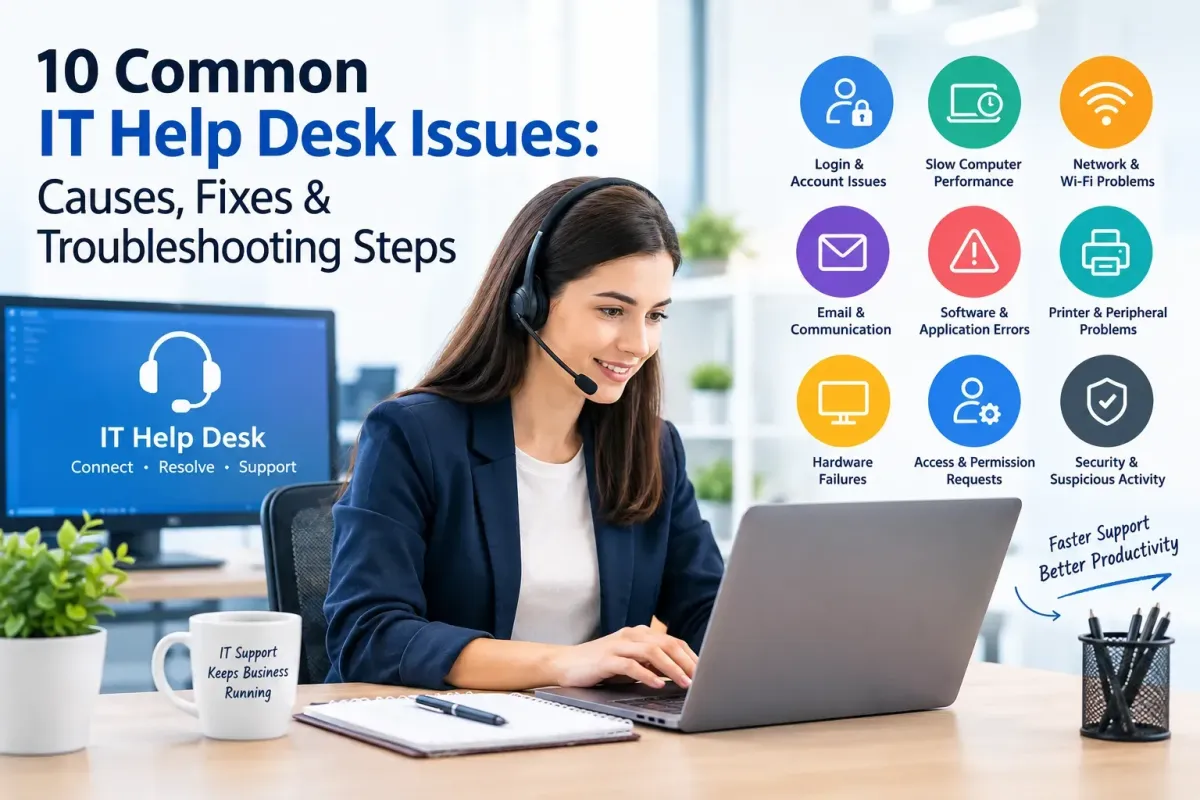
Common issues include login problems, slow computers, network failures, email errors, software problems, printer issues, hardware failures, access requests, security incidents, and VPN problems.
What are common IT problems employees experience?
Employees frequently experience password issues, connectivity problems, application errors, slow devices, printer failures, and difficulties accessing company systems.
What are help desk troubleshooting steps?
The process usually involves identifying the problem, gathering information, checking common causes, testing a solution, confirming the fix, documenting the result, and escalating when necessary.
What are employee IT support issues?
These are technology problems that affect employees while they are working, including device failures, account problems, software errors, connectivity issues, and access requests.
How can a help desk resolve problems faster?
A knowledge base, standardized procedures, accurate ticket documentation, automation, and clear escalation processes can help support teams resolve issues more efficiently.
Why should IT issues be documented?
Documentation helps teams identify recurring problems, track previous solutions, recognize trends, and provide useful information when a ticket needs to be escalated.
What are common technical issues reported by customers?
Customers may report login problems, application errors, connectivity issues, account access problems, and difficulties using a company's technology products or services.
When should an IT issue be escalated?
An issue may need escalation when it involves security, affects multiple users, requires specialized technical knowledge, or cannot be resolved through standard troubleshooting procedures.
How can businesses prevent recurring IT problems?
Businesses can review ticket trends, maintain hardware and software, improve employee training, update systems, strengthen security, and create self-service guides for frequent problems.
How does IT support help a business?
IT support helps employees stay productive by resolving technical problems, maintaining access to systems, reducing downtime, and addressing technology and security issues.